

পুরানো নিয়ে নতুন (এক্সচেঞ্জ)Trade-in and exchange
পুরানো জিনিস জমা নিয়ে তার দামটা নতুন মালের বিল থেকে বাদ দেওয়া।Taking the old item in part-exchange and knocking its value off the new bill.
সহায়িকার সূচিGuide index
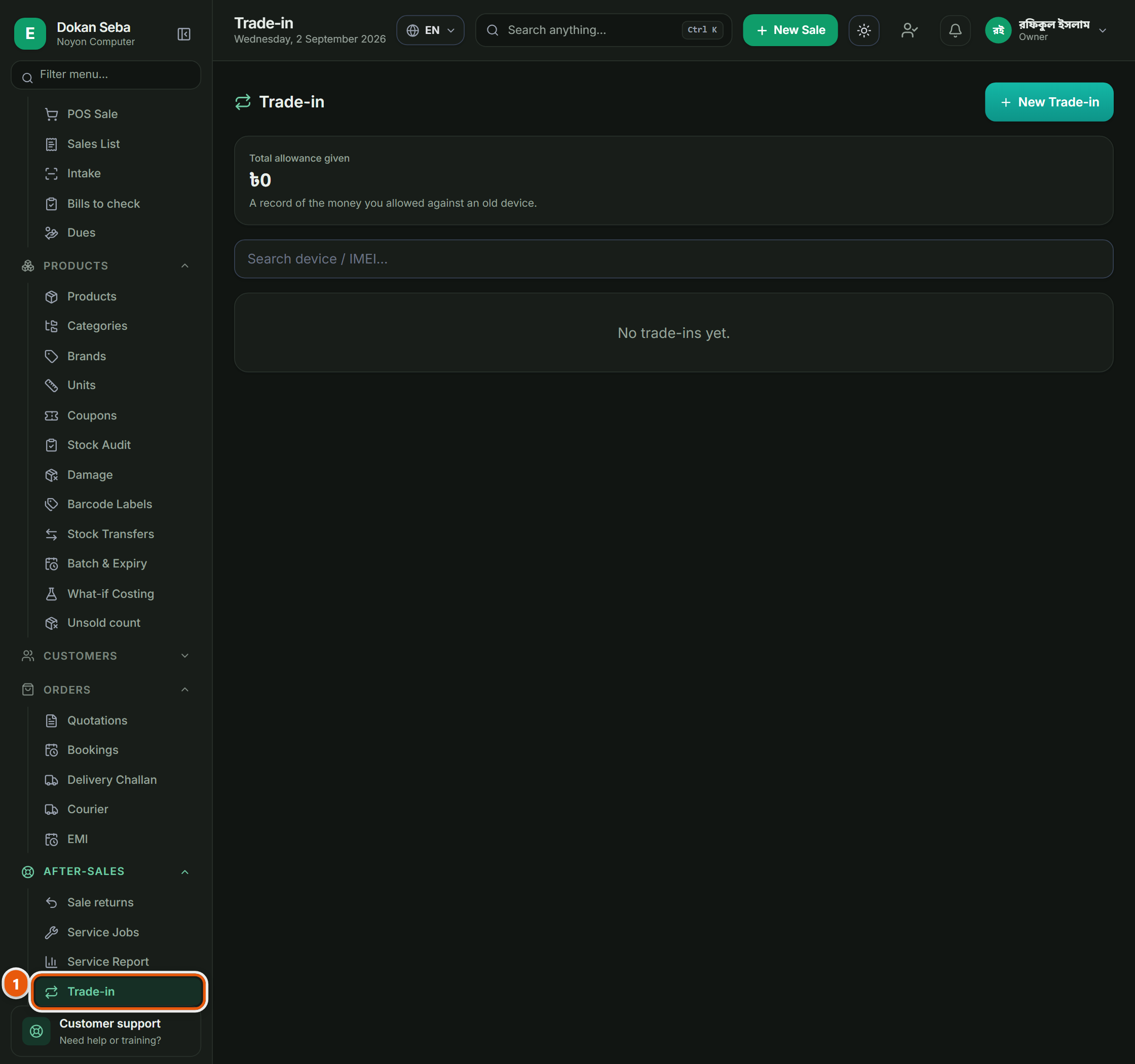
কোথায় পাবেনWhere to find it বিক্রয়োত্তরAfter-sales → এক্সচেঞ্জTrade-in
 ছবিতে চাপ দিলে বড় হবেTap the picture to enlarge
এক্সচেঞ্জ পাতা কোথায়Where trade-ins live
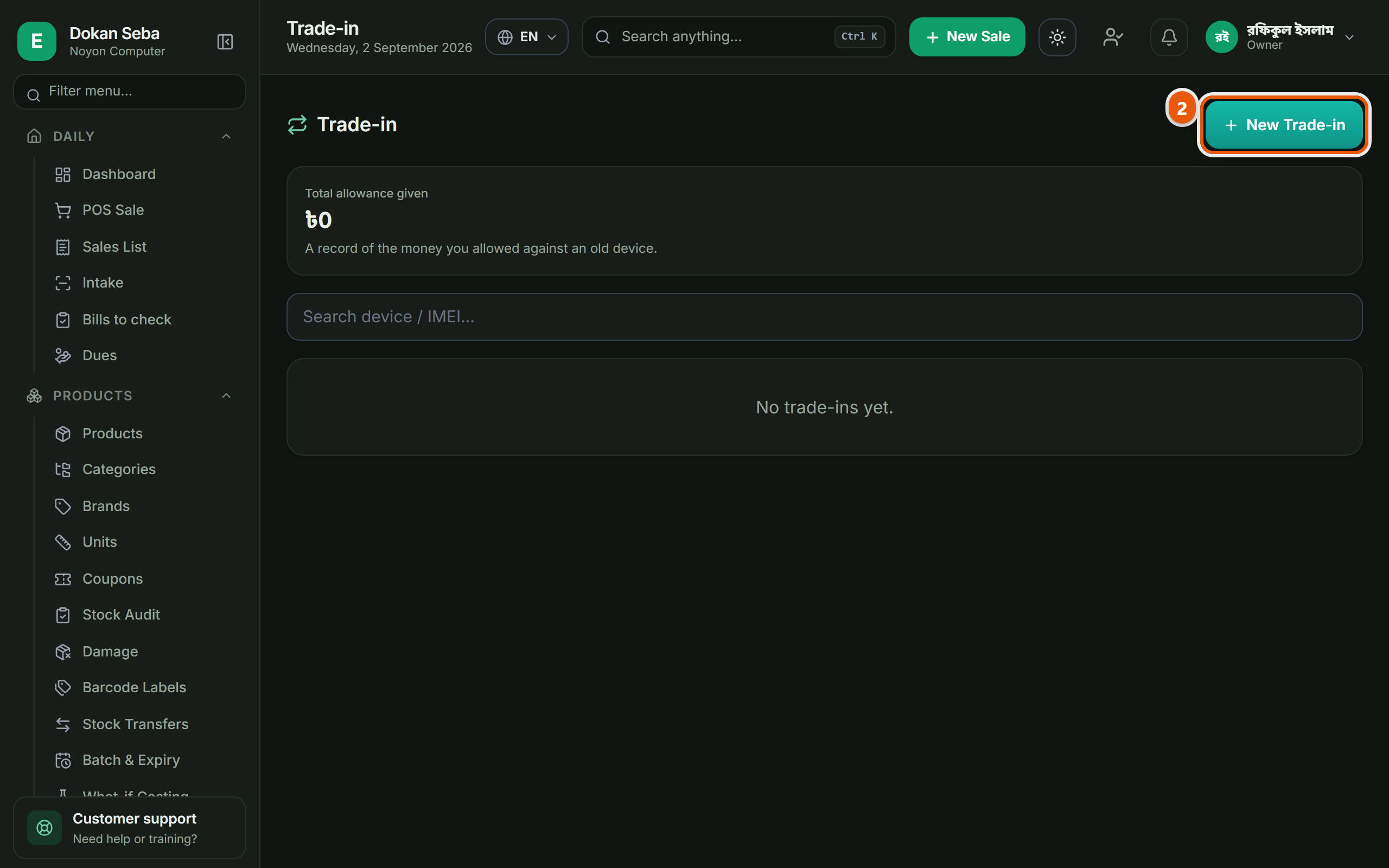
বাঁ পাশের মেনুতে বিক্রয়োত্তর → এক্সচেঞ্জ। উপরে ডান দিকের "নতুন এক্সচেঞ্জ" বোতামে চাপ দিয়ে শুরু করুন। পুরোনো মালটা চাইলে পুরোনো স্টকে ঢুকিয়ে দেওয়া যায়, সেটা ঐচ্ছিক, আর ওই টিকটা না দিলে মালটা স্টকে যোগ হবে না।After-sales → Trade-ins in the left menu. Press "New Trade-in" at the top right to start. The old item can be put into used stock if you want: that is optional, and without that tick it is not added to stock at all.
 ছবিতে চাপ দিলে বড় হবেTap the picture to enlarge
পুরোনোটার দাম ঠিক করুনPrice the old one
গ্রাহক যেটা দিয়ে যাচ্ছে সেটার নাম ও অবস্থা লিখে কত ধরবেন সেটা বসান।Enter what the customer is handing in, its condition, and what you are allowing for it.
নতুন পণ্য বিলে তুলুনPut the new item on the bill
নতুন পণ্যটা বিলে তুলুন। পুরোনোটার দাম বাদ যাওয়ার পর যা থাকে সেটাই গ্রাহক দেবে।Add the new item to the bill. What the customer pays is what is left after the allowance comes off.
পুরোনোটা স্টকেThe old one into stock
সেভ করলে পুরোনো জিনিসটা আলাদা করে স্টকে ঢুকে যাবে, পরে সেটা বিক্রি করতে পারবেন।On saving, the traded-in item goes into stock on its own so you can sell it later.
অন্য যেসব দোকানেও এটা আছেThe other trades that get this
কম্পিউটার দোকানComputer shop · বাইক এক্সেসরিজ ও সার্ভিসিংBike accessories & service · ইলেকট্রনিক্স শপElectronics shop · অটো মোটর ও সার্ভিসAuto motors & service