

ক্ষতি ও নষ্ট মালDamage and wastage
ভাঙা, নষ্ট বা মেয়াদ শেষ মাল স্টক থেকে বাদ দিয়ে ক্ষতিটা হিসাবে তোলা।Broken, spoiled or out-of-date stock taken off the shelf and the loss counted.
সহায়িকার সূচিGuide index
কোথায় পাবেনWhere to find it প্রোডাক্টProducts → নষ্ট মালDamage
 ছবিতে চাপ দিলে বড় হবেTap the picture to enlarge
 নষ্ট মালের পাতা কোথায়Where write-offs live
বাঁ পাশের মেনুতে প্রোডাক্ট → নষ্ট মাল। "নতুন হিসাব" বোতামে চাপ দিয়ে শুরু করুন, তারপর "পণ্য যোগ করুন" দিয়ে কোনটা কতটা নষ্ট হয়েছে বসান। এখানে লিখলে স্টক কমে যায়, বিক্রি হিসেবে নয়, ক্ষতি হিসেবে।Products → Write-offs in the left menu. Press "New write-off" to start, then "Add product" for each thing that was spoilt. Recording here reduces stock as a loss, not as a sale.
কোন মাল, কতটাWhat, and how much
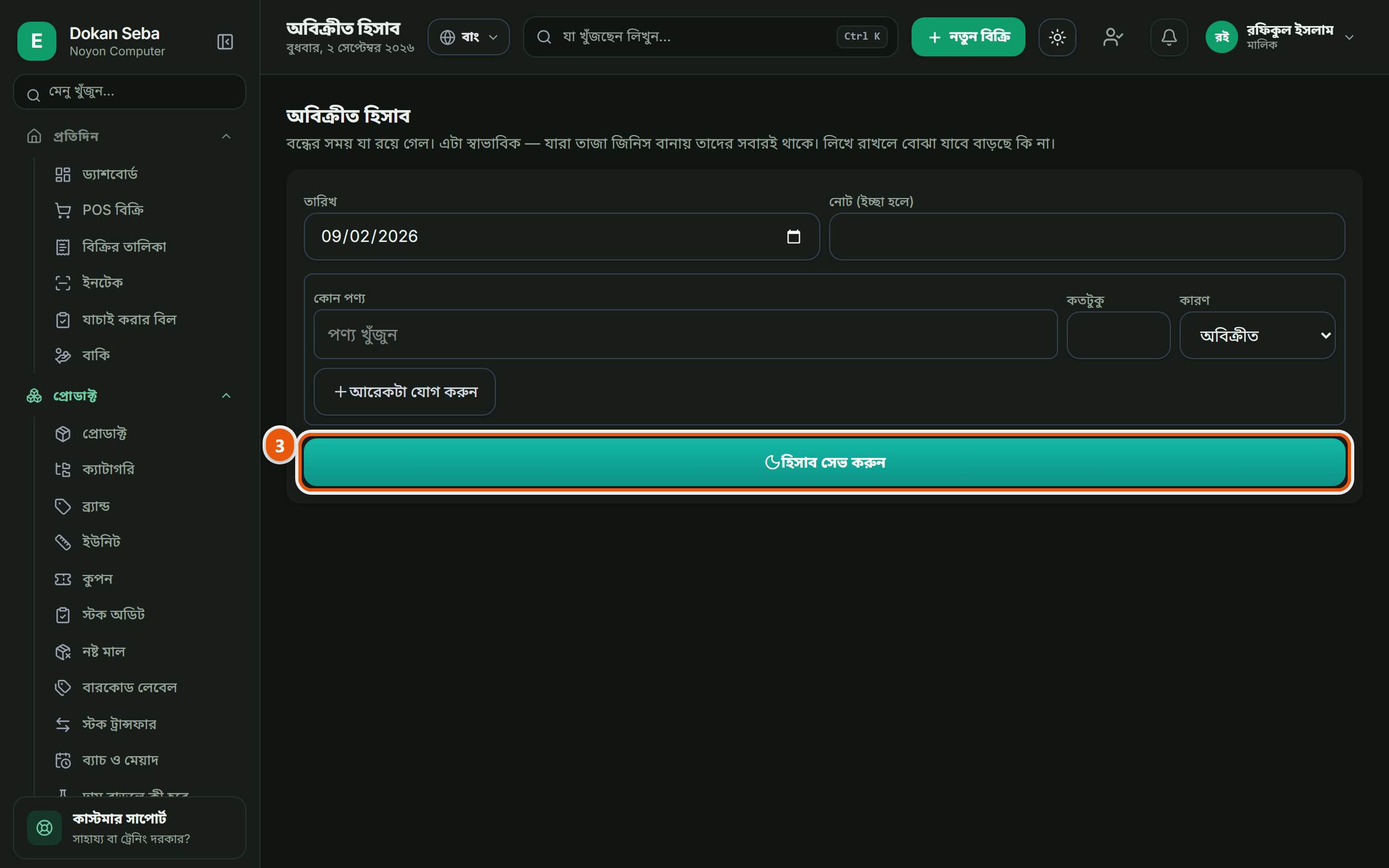
কোন পণ্য কতটা নষ্ট হলো বসান। ভাঙা, মেয়াদ শেষ, পোকা, কারণটাও লিখে রাখুন।Enter which product and how much was lost, and put the reason in: broken, expired, spoiled.
 ছবিতে চাপ দিলে বড় হবেTap the picture to enlarge
 সেভ করুনSave
সেভ করলে স্টক থেকে বাদ যাবে আর ক্ষতিটা আলাদা খাতায় থাকবে, বিক্রির হিসাবের সাথে মিশে যাবে না।On saving it comes out of stock and the loss is kept in a register of its own, not mixed into the sales figures.
মাস শেষে কোন মালে কত নষ্ট হচ্ছে সেটা এক জায়গায় দেখা যায়। কেনার পরিমাণ ঠিক করতে কাজে লাগে।At the end of the month you can see where the waste is going. It is what tells you how much to order next time.
অন্য যেসব দোকানেও এটা আছেThe other trades that get this
কম্পিউটার দোকানComputer shop · হার্ডওয়্যার ও রঙের দোকানHardware & paint · রেস্টুরেন্ট ও ক্যাফেRestaurant & Cafe · জুতার দোকানShoe shop · মুদি দোকানGrocery shop · ফার্মেসিPharmacy · মোবাইল শপMobile shop · কাপড় ও ফ্যাশনClothing & fashion · পাইকারি ও ডিস্ট্রিবিউশনWholesale & distribution · কৃষি উপকরণ ও শস্যAgri inputs & grain · বাইক এক্সেসরিজ ও সার্ভিসিংBike accessories & service · ইলেকট্রনিক্স শপElectronics shop · ডিপার্টমেন্টাল স্টোরDepartmental store · কসমেটিকস দোকানCosmetics shop · পোল্ট্রি দোকানPoultry shop · অটো মোটর ও সার্ভিসAuto motors & service · বই ও স্টেশনারি দোকানBook & stationery shop · ফার্নিচার দোকানFurniture shop · জুয়েলারি দোকানJewellery shop · অন্যান্যOther
বেকারি ও কনফেকশনারি-এর সব কাজ দেখুনAll the jobs for Bakery & confectionery