

সিকিউরিটি: কে কোথা থেকে ঢুকছেSecurity: who is signing in, and from where
লগইনের ইতিহাস, চালু থাকা ডিভাইস, আর সন্দেহ হলে কী করবেন।Sign-in history, the devices that are logged in, and what to do if something looks wrong.
সহায়িকার সূচিGuide index
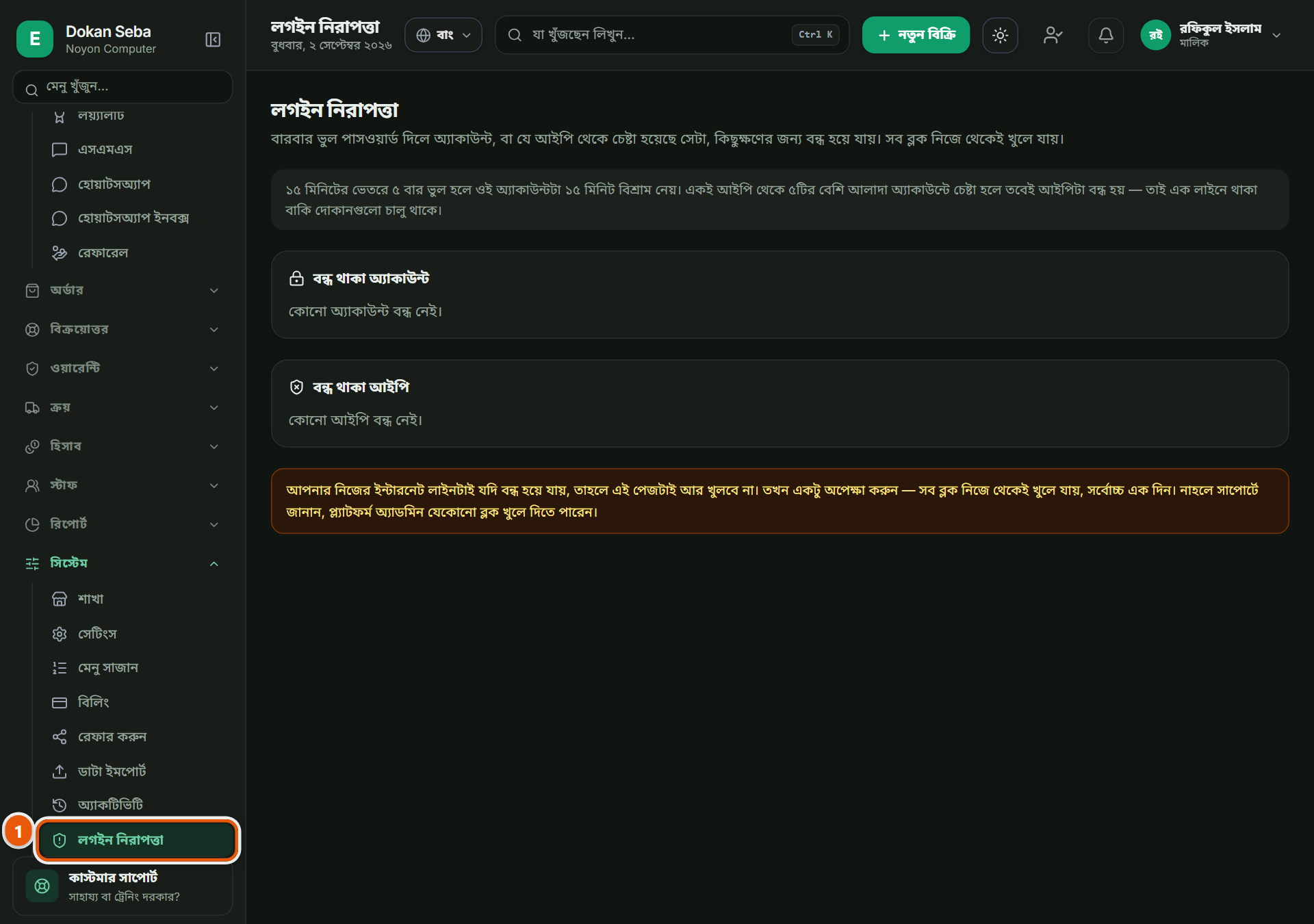 ছবিতে চাপ দিলে বড় হবেTap the picture to enlarge
কোন কোন ডিভাইসে খোলা আছেWhich devices are signed in
বাঁ পাশের মেনুর নিচের দিকে "সিকিউরিটি"। আপনার দোকানের হিসাব এই মুহূর্তে কোন কোন ফোন বা কম্পিউটারে খোলা আছে সেটা এখানে দেখা যায়। চিনতে না পারলে সেটাকে সেখান থেকে বের করে দিতে পারেন, তখন ওই ডিভাইসে আবার পাসওয়ার্ড দিয়ে ঢুকতে হবে।"Security", near the bottom of the left menu. Every phone and computer your shop is currently signed in on is listed here. If you do not recognise one, sign it out: that device then needs the password again.
লগইনের ইতিহাসThe sign-in history
কে কখন ঢুকেছে, আর কোন চেষ্টা ব্যর্থ হয়েছে, দুটোই লেখা থাকে। বারবার ব্যর্থ চেষ্টা দেখলে সেটা গুরুত্ব দিয়ে দেখুন: হয় কেউ পাসওয়ার্ড ভুলে গেছে, নয় কেউ চেষ্টা করছে।Who signed in and when, and which attempts failed. Repeated failures are worth taking seriously: either somebody forgot the password, or somebody is trying.
সন্দেহ হলেIf something worries you
পাসওয়ার্ড বদলান, আর সব ডিভাইস থেকে বের করে দিন, দুইটা একসাথে করলে কারো হাতে থাকা পুরনো লগইন আর কাজ করবে না। কর্মচারী চলে গেলে তার লগইন বন্ধ করে দিন, শুধু পাসওয়ার্ড বদলে নয়।Change the password and sign every device out: doing both together kills any session somebody else is holding. When a member of staff leaves, switch their login off rather than only changing the password.