

টেবিলের কিউআর মেনু, ছবি, দাম ও প্রস্তুতির সময়Table QR menu, photos, prices and prep time
টেবিলের কিউআর কোড স্ক্যান করলেই কাস্টমার ছবিসহ পুরো মেনু, দাম আর কোনটা তৈরি হতে কতক্ষণ লাগে দেখতে পাবে। কোনো খাবার শেষ হয়ে গেলে এক চাপে সেটা মেনু থেকে সরানো যায়।The customer scans the code on the table and sees the whole menu with photos, prices and how long each dish takes. When something runs out, one tap takes it off the menu.
সহায়িকার সূচিGuide index
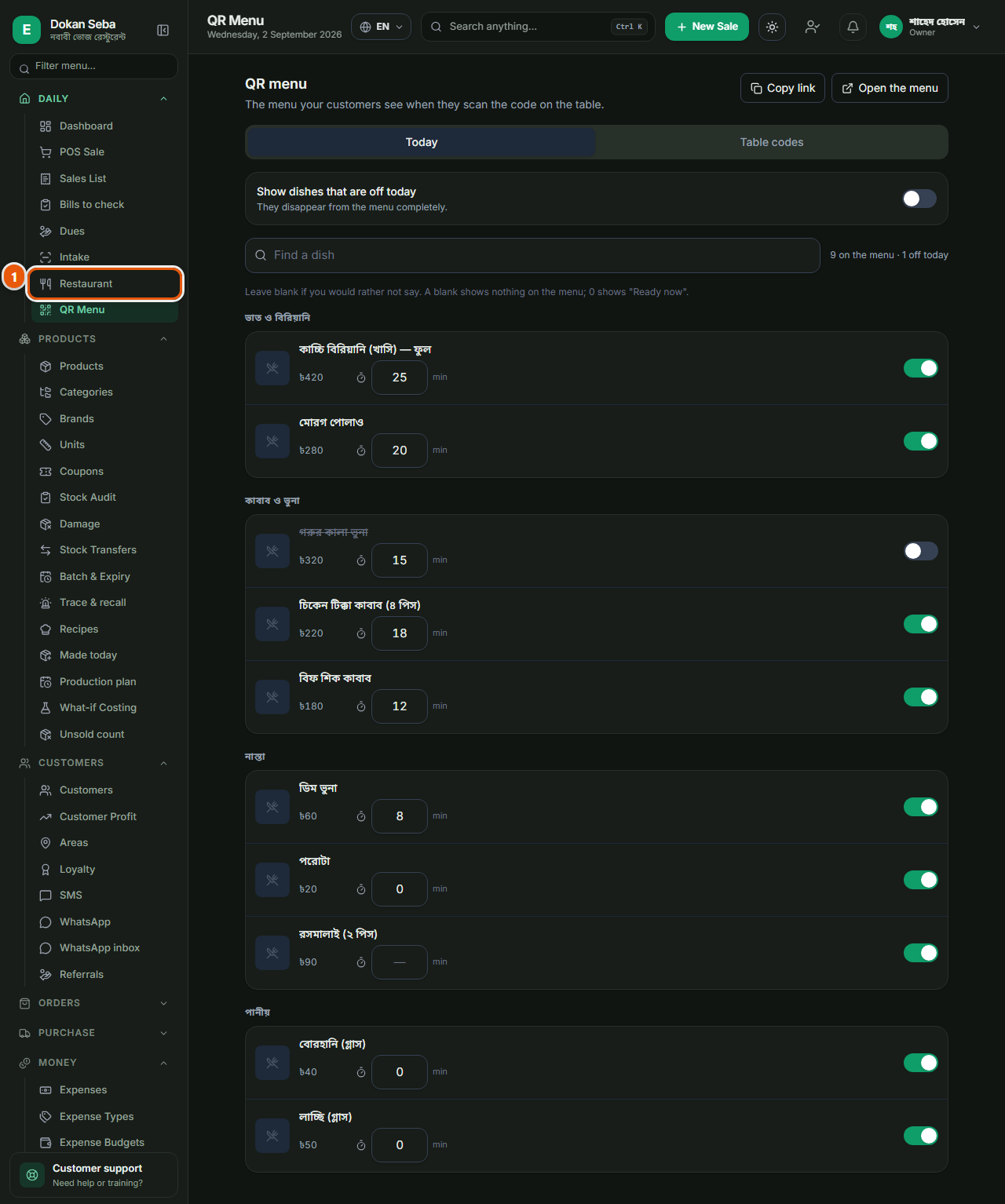
কোথায় পাবেনWhere to find it প্রতিদিনDaily → কিউআর মেনুQR Menu
 ছবিতে চাপ দিলে বড় হবেTap the picture to enlarge
আগে টেবিল বসান: অন্য স্ক্রিনেAdd the tables first: on another screen
⚠ কিউআর কোড এই পাতায় বানানো হয় না। আগে "রেস্টুরেন্ট" স্ক্রিনে গিয়ে টেবিলগুলো যোগ করুন, এক টেবিলের জন্য এক সারি, নাম দিয়ে (যেমন "টেবিল ৩", "ছাদের কোণা")। টেবিল বসানোর পরেই সেগুলোর কোড কিউআর মেনু পাতায় আপনা-আপনি চলে আসবে। টেবিল না থাকলে এই পাতা খালি দেখাবে, আর সেটাই বেশিরভাগ মানুষ ভুল বোঝে।⚠ The QR codes are not created on this page. First go to the Restaurant screen and add your tables: one row each, with a name ("Table 3", "Corner by the roof"). Their codes then appear on the QR menu page by themselves. With no tables the page looks empty, and that is what most people misread as the feature not working.
খাবার মেনুতে আসার দুইটা শর্তThe two conditions for a dish to appear
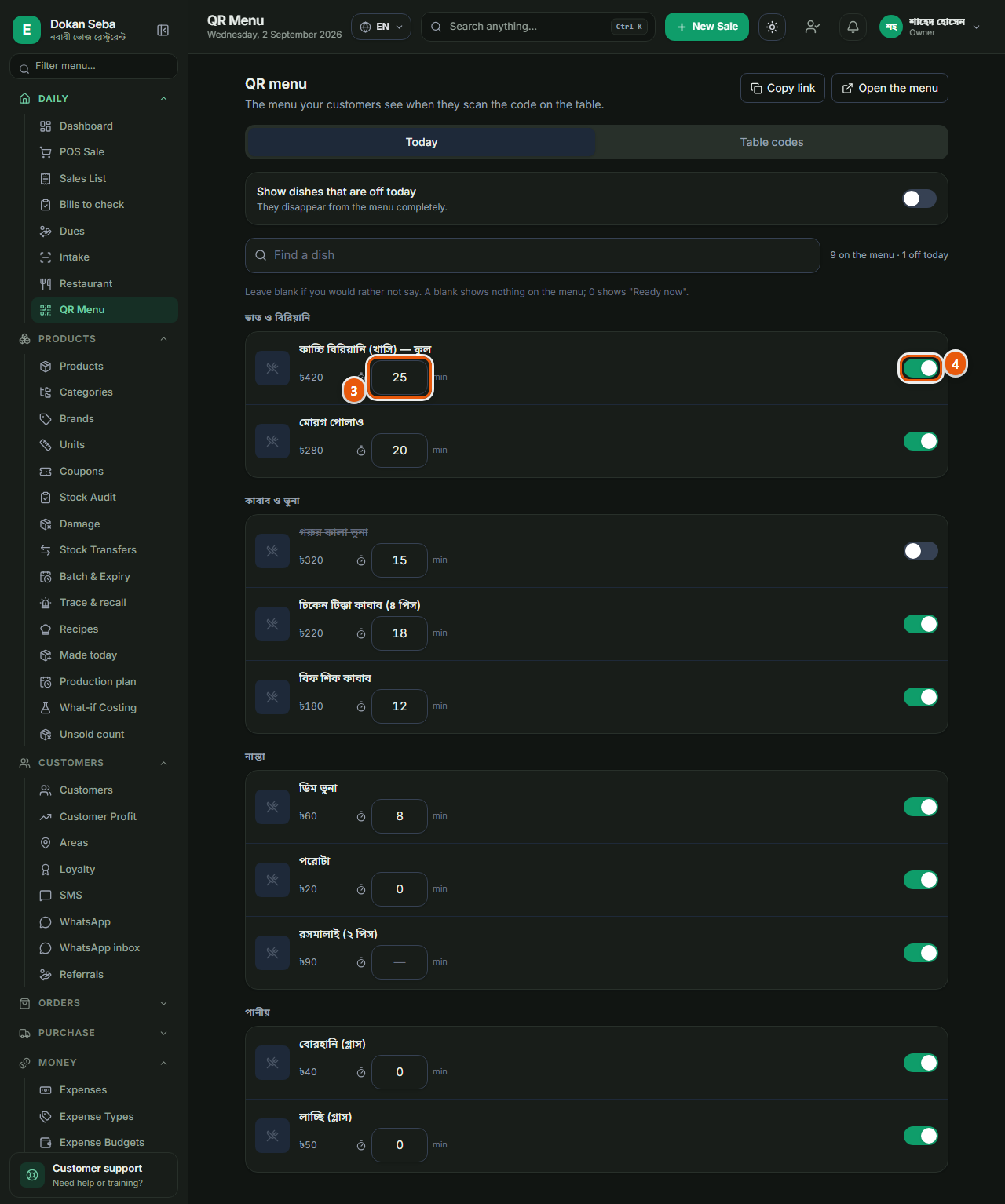
কোনো খাবার মেনুতে দেখাবে তখনই, যখন দুইটাই সত্যি: (১) তার একটা দাম বসানো আছে, আর (২) তার প্রোডাক্ট পাতায় "অনলাইন স্টোরে দেখাবে" টিক দেওয়া আছে। দুইটার একটাও বাদ পড়লে খাবারটা মেনুতে আসবে না, আর কোনো ভুলের বার্তাও দেখাবে না। মেনু খালি লাগলে সবার আগে এই দুইটা মিলিয়ে দেখুন।A dish shows on the menu only when both are true: (1) it has a price, and (2) "Show in online store" is ticked on its product page. Miss either and the dish simply does not appear, with no error to tell you why. If the menu looks empty, check those two first.
 ছবিতে চাপ দিলে বড় হবেTap the picture to enlarge
ছবি আর প্রস্তুতির সময়The photo and the prep time
খাবারের ছবি প্রোডাক্ট পাতা থেকেই আসে, যে ছবিটা ওখানে দেবেন সেটাই কাস্টমার দেখবে, তাই পরিষ্কার একটা ছবি দিন। প্রস্তুতির সময় এই পাতা থেকেই মিনিটে লেখা যায়, আর এর তিনটে অবস্থা: খালি রাখলে মেনুতে কিছুই দেখাবে না, ০ দিলে "এখনই প্রস্তুত" দেখাবে, আর সংখ্যা দিলে ততক্ষণ লাগবে বলে দেখাবে। বলতে না চাইলে খালিই রাখুন।The picture comes from the product page: whatever you put there is what the customer sees, so use a clean one. The prep time is typed here, in minutes, and it has three states: blank shows nothing at all on the menu, 0 shows "Ready now", and a number shows that many minutes. Leave it blank if you would rather not say.
আজ যেটা নেই সেটা সরিয়ে দিনTake today’s sold-out dishes off
কোনো খাবার শেষ হয়ে গেলে এই পাতা থেকেই এক চাপে মেনু থেকে সরিয়ে দিন, প্রোডাক্ট মুছতে হবে না, দামও বদলাতে হবে না। কাল আবার এক চাপে ফিরিয়ে আনবেন। কাস্টমার এমন কিছু অর্ডার করে বসে থাকবে না যেটা রান্নাঘরে নেই।When a dish runs out, take it off the menu from this page with one tap: you do not delete the product or change its price. One tap puts it back tomorrow. It stops customers ordering something the kitchen does not have.
 ছবিতে চাপ দিলে বড় হবেTap the picture to enlarge
কোড ছাপিয়ে টেবিলে রাখুনPrint the codes and put them out
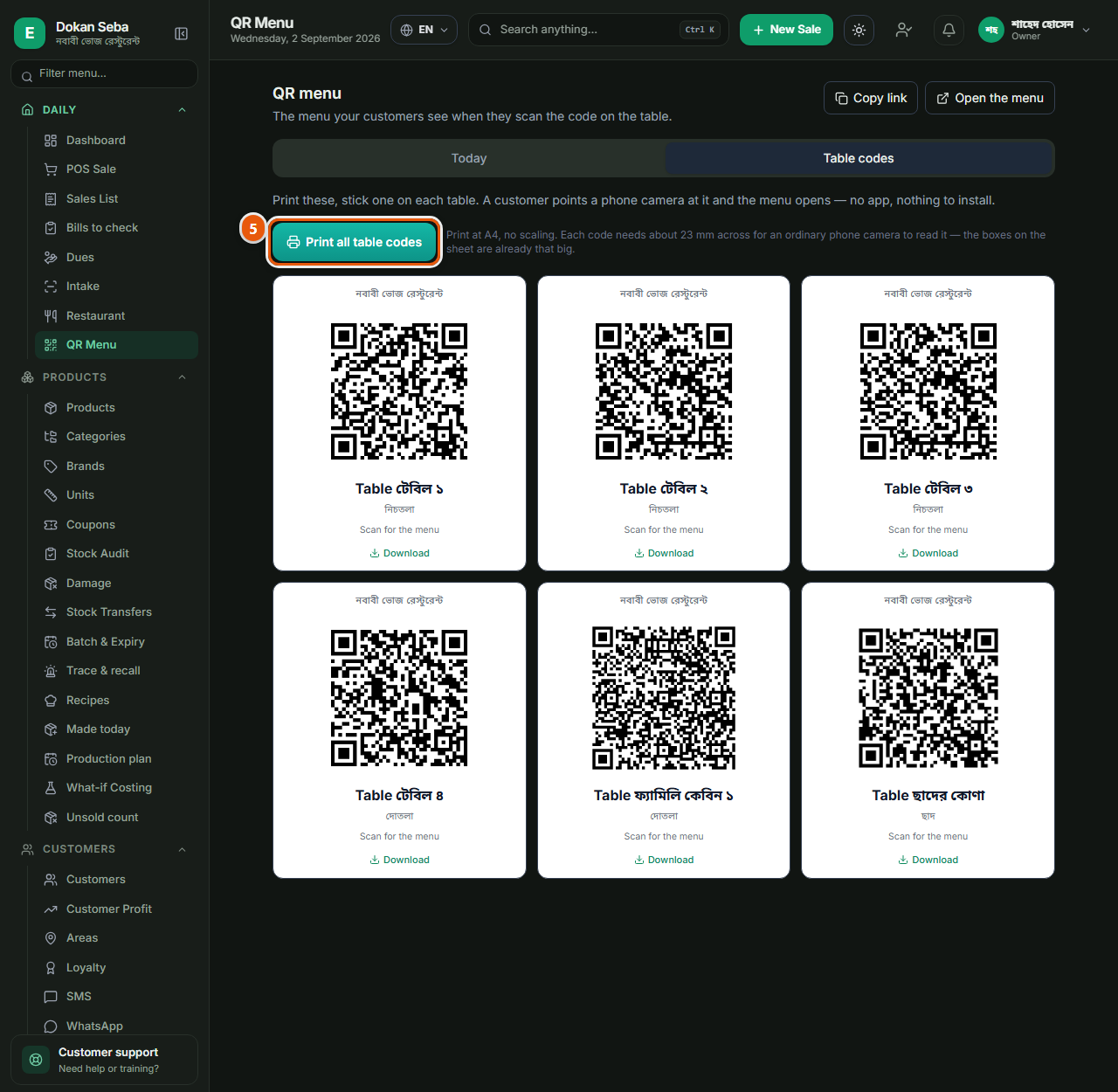
"টেবিলের কোড" ট্যাবে গিয়ে "সব টেবিলের কোড প্রিন্ট" চাপলে সব টেবিলের কোড একসাথে এক পাতায় ছাপা হয়ে যায়। চাইলে একটা কোড আলাদা করে নামানো যায়, বা লিংকটা কপি করে নেওয়া যায়, লিংক দিয়ে হোয়াটসঅ্যাপেও মেনু পাঠানো যায়। কাস্টমার ফোনের ক্যামেরা ধরলেই মেনু খুলবে, কিছু নামাতে হবে না।On the "Table codes" tab, "Print all table codes" puts every table’s code on one sheet. You can also download a single code, or copy its link: the link can be sent on WhatsApp. The customer points a phone camera at it and the menu opens; there is nothing to install.
দাম বদলালে সাথে সাথেইChange a price, it changes there
দাম বা আইটেম বদলালে টেবিলের মেনুও সাথে সাথে বদলে যায়। কোডটা একই থাকে, তাই নতুন করে কিছু ছাপাতে হয় না, একবার ছাপিয়ে টেবিলে রেখে দিলেই হলো।Change a price or an item and the table menu changes with it. The code itself never changes, so nothing needs reprinting: print once and leave it on the table.