

খরচExpenses
দোকান ভাড়া, বিদ্যুৎ বিল, স্টাফের নাশতা, প্রতিদিনের খরচ লিখে রাখা।Shop rent, the electricity bill, tea for the staff, the daily outgoings written down.
সহায়িকার সূচিGuide index
কোথায় পাবেনWhere to find it হিসাবMoney → খরচExpenses
কোথায় পাবেনWhere to find it
বাঁ পাশের মেনুতে হিসাব → খরচ, এখান থেকেই এই কাজটা শুরু হয়। পাতাটা খুললে নিচের ধাপগুলো এক এক করে করুন।In the left menu: Accounts → Expenses. This is where the job starts. Open the page and work through the steps below in order.
নতুন খরচ লিখুনAdd the expense
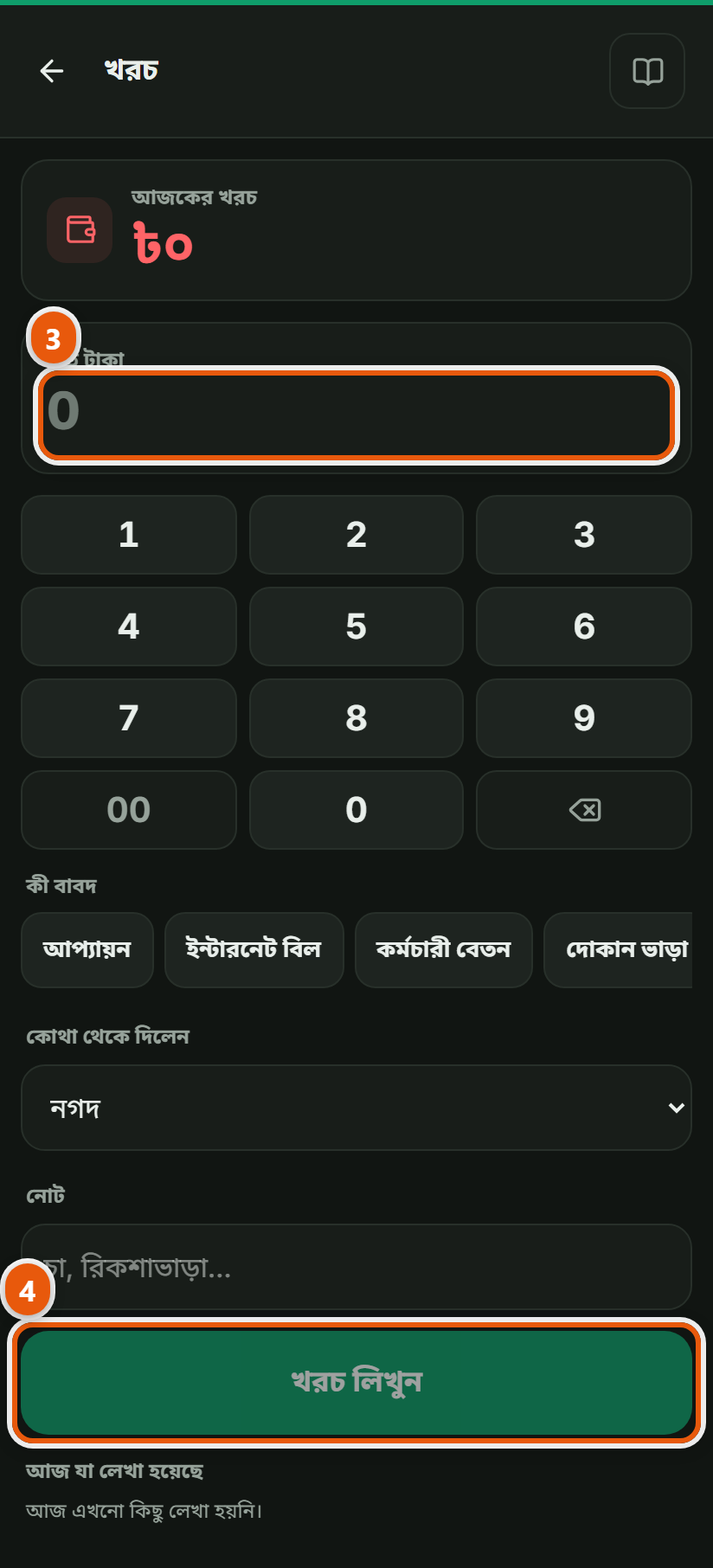
নতুন খরচ চাপুন। খাত বেছে নিন: দোকান ভাড়া, বিদ্যুৎ বিল, যাতায়াত, চা-নাস্তা। খাত না থাকলে নিজেই একটা বানিয়ে নিন।Press New expense and choose the head: rent, electricity, transport, tea. If the head you need is not there, make one.
 ছবিতে চাপ দিলে বড় হবেTap the picture to enlarge
 টাকা ও তারিখAmount and date
টাকার অঙ্ক ও তারিখ দিন। আগের দিনের খরচও পরে তোলা যায়, তারিখটা বদলে দিলেই হলো।Enter the amount and the date. An expense from an earlier day can go in later: just change the date.
সেভ করুনSave
সেভ করলে খরচটা দিনের ক্যাশ থেকে বাদ যাবে আর মাসের লাভ-ক্ষতির হিসাবেও বসে যাবে।On saving it comes out of the day's cash and lands in the month's profit and loss.
অন্য যেসব দোকানেও এটা আছেThe other trades that get this
কম্পিউটার দোকানComputer shop · হার্ডওয়্যার ও রঙের দোকানHardware & paint · রেস্টুরেন্ট ও ক্যাফেRestaurant & Cafe · জুতার দোকানShoe shop · মুদি দোকানGrocery shop · ফার্মেসিPharmacy · মোবাইল শপMobile shop · কাপড় ও ফ্যাশনClothing & fashion · পাইকারি ও ডিস্ট্রিবিউশনWholesale & distribution · বেকারি ও কনফেকশনারিBakery & confectionery · কৃষি উপকরণ ও শস্যAgri inputs & grain · বাইক এক্সেসরিজ ও সার্ভিসিংBike accessories & service · ডিপার্টমেন্টাল স্টোরDepartmental store · কসমেটিকস দোকানCosmetics shop · পোল্ট্রি দোকানPoultry shop · অটো মোটর ও সার্ভিসAuto motors & service · বই ও স্টেশনারি দোকানBook & stationery shop · ফার্নিচার দোকানFurniture shop · জুয়েলারি দোকানJewellery shop · অন্যান্যOther
ইলেকট্রনিক্স শপ-এর সব কাজ দেখুনAll the jobs for Electronics shop