

একাধিক শাখা ও ট্রান্সফারMulti-branch and transfers
একের বেশি দোকান বা গুদাম চালানো, আর তাদের মধ্যে মাল ট্রান্সফার করা।Running more than one outlet or godown, and moving stock between them.
সহায়িকার সূচিGuide index
কোথায় পাবেনWhere to find it প্রোডাক্টProducts → স্টক ট্রান্সফারStock Transfers
কোথায় পাবেনWhere to find it
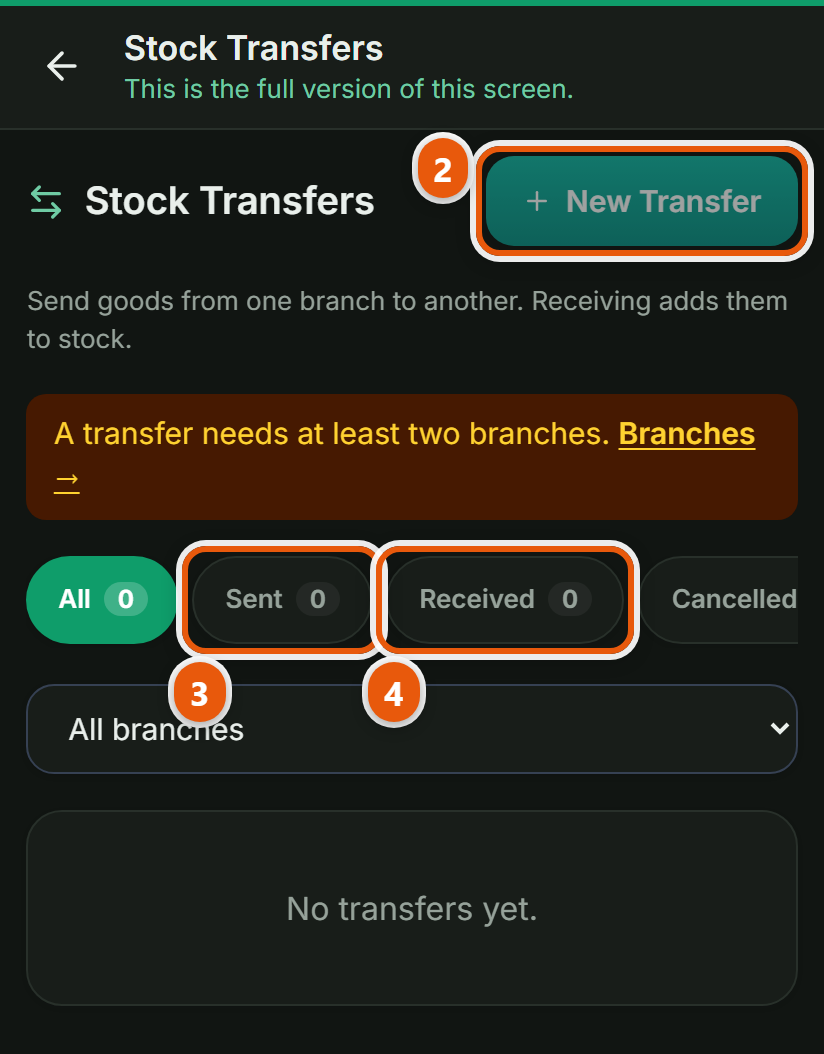
বাঁ পাশের মেনুতে প্রোডাক্ট → স্টক ট্রান্সফার, এখান থেকেই এই কাজটা শুরু হয়। পাতাটা খুললে নিচের ধাপগুলো এক এক করে করুন।In the left menu: Products → Stock transfer. This is where the job starts. Open the page and work through the steps below in order.
 ছবিতে চাপ দিলে বড় হবেTap the picture to enlarge
 কোথা থেকে কোথায়From where, to where
কোন শাখা থেকে কোন শাখায় মাল যাবে সেটা বেছে নিন।Choose the branch the goods leave and the branch they are going to.
পণ্য বসিয়ে পাঠানEnter the items and send
পণ্য ও পরিমাণ বসিয়ে পাঠান চাপুন। পাঠানোর পর মালটা পথে আছে বলে দেখাবে।Enter the items and quantities and press Send. Until it arrives the goods show as in transit.
ওই শাখা গ্রহণ করবেThe other branch receives it
মাল পৌঁছালে ওই শাখা গ্রহণ চাপবে। তখনই সেখানকার স্টকে যোগ হবে, তার আগে নয়, তাই পথে থাকা মালের হিসাবও থাকে।When the goods arrive the receiving branch presses Receive, and only then does their stock rise, so goods in transit are accounted for too.
অন্য যেসব দোকানেও এটা আছেThe other trades that get this
কম্পিউটার দোকানComputer shop · হার্ডওয়্যার ও রঙের দোকানHardware & paint · রেস্টুরেন্ট ও ক্যাফেRestaurant & Cafe · জুতার দোকানShoe shop · মুদি দোকানGrocery shop · ফার্মেসিPharmacy · মোবাইল শপMobile shop · কাপড় ও ফ্যাশনClothing & fashion · পাইকারি ও ডিস্ট্রিবিউশনWholesale & distribution · কৃষি উপকরণ ও শস্যAgri inputs & grain · বাইক এক্সেসরিজ ও সার্ভিসিংBike accessories & service · ইলেকট্রনিক্স শপElectronics shop · ডিপার্টমেন্টাল স্টোরDepartmental store · কসমেটিকস দোকানCosmetics shop · পোল্ট্রি দোকানPoultry shop · অটো মোটর ও সার্ভিসAuto motors & service · বই ও স্টেশনারি দোকানBook & stationery shop · ফার্নিচার দোকানFurniture shop · জুয়েলারি দোকানJewellery shop · অন্যান্যOther
বেকারি ও কনফেকশনারি-এর সব কাজ দেখুনAll the jobs for Bakery & confectionery